Free crypto charting software
Published: 21 Jan 2026
Hello friends! Today, we will talk about different crypto charting software. These tools help you view cryptocurrency prices and trends. If you are new to crypto trading or just want to invest, these tools are very useful. Free tools give you charts, graphs, and simple indicators.
In this article, we will show you the best free crypto charting software. We will tell which tools are good for beginners and which are good for advanced traders. You will also learn all the features of the tools. Let’s start and see which free tools are best for you! If you want to learn more, visit the detailed guide on the Crypto chart analysis tool.
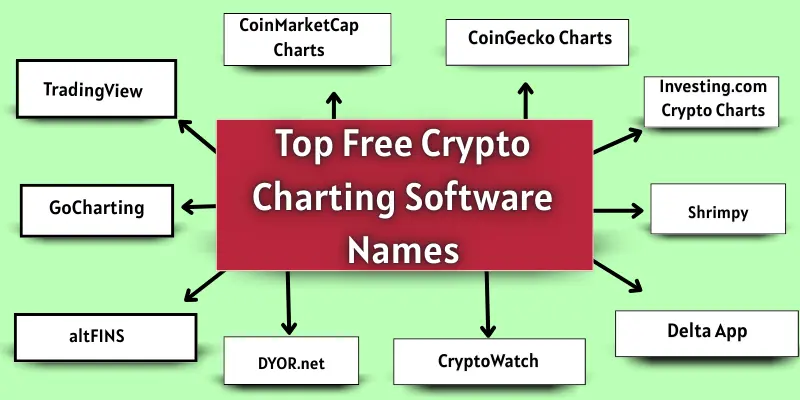
Top free crypto charting software
Looking for the best free crypto charting software? Here is a list of top tools to help you view crypto prices and charts easily.
- TradingView
- CoinMarketCap Charts
- CoinGecko Charts
- GoCharting
- Investing.com Crypto Charts
- altFINS
- DYOR.net
- CryptoWatch
- Delta App
- Shrimpy
1. TradingView
TradingView is a popular crypto charting software. It shows live prices and charts of many cryptocurrencies. You can look at different coins and see how prices change over time. It is easy to open and use online.
Features
TradingView has many useful features:
- Real-time crypto charts
- Candlestick and line charts
- Technical indicators like RSI and MACD
- Drawing tools and trend lines
- Customizable timeframes
- Alerts and notifications
Best For
TradingView is best for:
- Beginners who want easy charts
- Advanced traders who need many indicators
- People who want real-time updates
2. CoinMarketCap Charts
CoinMarketCap Charts is a simple crypto charting tool. It shows price changes for different cryptocurrencies. You can check coin trends and compare coins easily. It works well on both desktop and mobile.
Features
CoinMarketCap Charts provides:
- Historical price charts
- Comparison of different coins
- Market trends overview
- Interactive charts
- Easy-to-read interface
Best For
CoinMarketCap Charts is best for:
- Beginners who want simple charts
- People who check coin prices quickly
- Investors learning about crypto trends
3. CoinGecko Charts
CoinGecko Charts shows price trends for many cryptocurrencies. You can see how coins change in daily, weekly, or monthly time. The tool is simple and easy to use online.
Features
CoinGecko Charts includes:
- Historical charts
- Price trend graphs
- Coin comparison
- Market performance overview
- Easy navigation
Best For
CoinGecko Charts is best for:
- Beginners who want simple charts
- People tracking multiple coins
- Small investors checking market trends
4. GoCharting
GoCharting is a crypto charting software with many advanced tools. You can view charts for multiple coins at once. The interface is clean and simple for traders.
Features
GoCharting provides:
- Multiple timeframes
- Advanced technical indicators
- Trend lines and drawing tools
- Alerts and notifications
- Real-time charts
Best For
GoCharting is best for:
- Traders who want detailed analysis
- People using multiple coins
- Intermediate and advanced users
5. Investing.com Crypto Charts
Investing.com Crypto Charts shows live prices of many cryptocurrencies. It gives a simple way to check market trends. The tool works well on desktop and mobile.
Features
Investing.com Crypto Charts provides:
- Live interactive charts
- Simple technical indicators
- Real-time price updates
- Coin comparison
- Easy navigation
Best For
Investing.com Crypto Charts is best for:
- Beginners who want live charts
- Day traders check trends quickly
- People tracking market changes
6. altFINS
altFINS is a crypto charting and screener tool. It helps to find trends and patterns in the market. The interface is simple for beginners and intermediate users.
Features
altFINS provides:
- Crypto screener
- Chart patterns and trend signals
- Alerts for market movements
- Multiple coin tracking
- Easy-to-read charts
Best For
altFINS is best for:
- Beginners learning patterns
- Traders who want alerts
- People analyzing multiple coins
7. DYOR.net
DYOR.net shows trends and insights for cryptocurrencies. You can check charts for different coins easily. It is simple and works online without downloading.
Features
DYOR.net provides:
- Trend detection
- Market insights
- Simple graphs and charts
- Historical price data
- Coin comparison
Best For
DYOR.net is best for:
- Beginners researching coins
- Investors checking trends
- People who want a simple analysis
8. CryptoWatch
CryptoWatch is a multi-exchange crypto charting platform. You can see live prices from many exchanges in one place. The charts are easy to read online.
Features
CryptoWatch provides:
- Multi-exchange charts
- Live price updates
- Real-time indicators
- Trend lines and graphs
- Customizable charts
Best For
CryptoWatch is best for:
- Advanced traders
- People tracking multiple exchanges
- Traders needing live market updates
9. Delta App
Delta App is a portfolio tracking tool with charts. You can see your coin investments and their price changes. The app works on mobile and desktop.
Features
Delta App provides:
- Portfolio tracking
- Price charts for coins
- Coin comparison
- Alerts for price changes
- Simple interface
Best For
Delta App is best for:
- Beginners tracking their investments
- People who want portfolio overview
- Small investors
10. Shrimpy
Shrimpy is a crypto trading and automation tool. It also shows charts for tracking coin prices. The interface is clean and easy to use.
Features
Shrimpy provides:
- Automated trading
- Price charts
- Portfolio management
- Coin tracking
- Alerts and notifications
Best For
Shrimpy is best for:
- Traders using automation
- Investors tracking portfolios
- People who want charts and trading together
Which is the Best Free Crypto Charting Software?
Choosing the best free crypto charting software depends on what you need.
- For Beginners:
CoinMarketCap Charts and CoinGecko Charts are very simple. You can check prices, trends, and charts easily. No complex tools, easy to use on desktop or mobile. - For Advanced Traders:
TradingView and GoCharting are the best. They have many technical indicators, real-time charts, and alerts. - For Portfolio Tracking:
Delta App and Shrimpy are very useful. You can track your coins, check prices, and manage investments.
Conclusion
So guys, it’s time to finish up! In this article, we’ve covered free crypto charting software in detail. Personally, I recommend CoinMarketCap Charts for beginners because it is simple and easy to use. If you want advanced analysis, TradingView is my top choice. Try these crypto tools today and start making smart decisions in the crypto market!
FAQs about crypto charting tools
Free crypto charting software is a tool that shows the prices and trends of cryptocurrencies. It creates charts and graphs to help you see price changes. You can use it to make smart trading or investment decisions.
No, these tools are free to use. Some may have extra features for paid plans, but basic charts and indicators are free. Beginners can start without spending any money.
CoinMarketCap Charts and CoinGecko Charts are very simple. They show prices, trends, and basic charts clearly. Beginners can learn how the market works using these tools.
Yes, most free crypto charting software works on mobile phones. You can check live prices and charts anytime, anywhere. Apps like Delta and CoinGecko are very mobile-friendly.
Yes, these tools are safe because they only show market data. They do not require your private crypto keys. Always use official websites or apps to stay secure.
TradingView and GoCharting are ideal for advanced users. They have many technical indicators and real-time charts. Advanced traders can analyze multiple coins in detail
Yes, some tools like Delta App and Shrimpy let you track your portfolio. You can see your coin prices and overall investment value. This helps you make better investment decisions.

- Be Respectful
- Stay Relevant
- Stay Positive
- True Feedback
- Encourage Discussion
- Avoid Spamming
- No Fake News
- Don't Copy-Paste
- No Personal Attacks
- Be Respectful
- Stay Relevant
- Stay Positive
- True Feedback
- Encourage Discussion
- Avoid Spamming
- No Fake News
- Don't Copy-Paste
- No Personal Attacks
