Trade Key in Crypto Explained
Published: 22 Jun 2026
Cryptocurrency trading has become more advanced in 2026, especially with the rise of automated trading tools, AI bots, and algorithm-based strategies. Because of this, exchanges now use secure systems like trade keys to safely connect your account with external applications.
If you have ever used a trading bot or connected an app to Binance, Bybit, or any other exchange, you may have already interacted with a trade key without even realizing it.
In this guide, you will learn what a trade key is, how it works, why it is important, and how to use it safely.
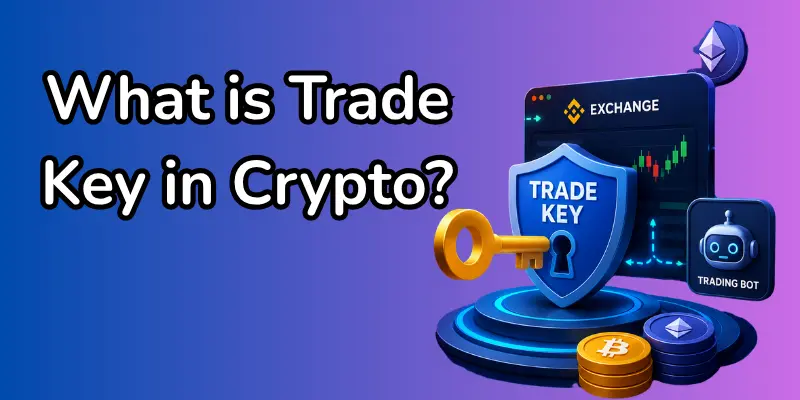
What Is a Trade Key in Crypto?
A trade key in crypto is a type of digital access key that allows external software to interact with your cryptocurrency exchange account.
Think of it like a controlled remote access pass. Instead of logging into your account directly, you give permission to a trusted application to perform specific trading tasks on your behalf.
Example:
If you connect a trading bot to your account, the bot uses your trade key to:
- Check market prices
- Place buy/sell orders
- Manage trading strategies
But it does NOT automatically mean full control unless you allow it.
How Does a Trade Key Work?
A trade key works through an API (Application Programming Interface). Here is a simple flow:
- You generate a trade key from your exchange
- The exchange creates two parts:
- API Key
- Secret Key
- You give permission (read, trade, withdraw, etc.)
- A trading app uses these keys to connect securely
- The app performs actions based on your allowed permissions
Everything happens through encrypted communication to keep your account safe.
Trade Key vs API Key (Important Difference)
Many beginners get confused between these two terms.
API Key
An API key is the general access key used to connect external applications to a system.
Trade Key
A trade key is commonly used to refer to an API key specifically for trading activities.
Key Difference:
- API Key = General system access
- Trade Key = Trading-focused access (buy/sell, orders, bots)
In most crypto exchanges, both terms are used interchangeably.
Why Trade Keys Are Important in Crypto Trading
Trade keys play a major role in modern crypto trading:
- Secure Exchange Access: Trade keys allow a safe connection between your account and external trading tools without sharing your login details.
- Automated Trading Support: They enable bots and algorithms to trade on your behalf 24/7 without manual effort.
- Faster Trade Execution: Orders are placed instantly based on market conditions, reducing delay and slippage.
- Portfolio Management: Trading apps can track your assets and performance in real-time using trade keys.
- Third-Party Integration: You can connect trading platforms, analytics tools, and bots easily with exchange systems.
- Custom Permission Control: You can decide what access to give like read, trade, or withdraw for better security.
- Improved Trading Efficiency: Traders can manage multiple strategies at once without constantly logging in.
- Reduced Human Error: Automated systems reduce mistakes caused by emotional or manual trading decisions.
- 24/7 Market Monitoring: Trade keys help systems react instantly, even when you are offline or sleeping.
- Scalable Trading Strategies: Professional traders can run multiple bots and strategies simultaneously for better results.
How to Create a Trade Key (Step-by-Step)
Creating a trade key is simple:
- Step 1: Log in to Your Crypto Exchange Account: Sign in to your trusted crypto exchange, such as Binance, Coinbase, or Bybit, using your registered account credentials.
- Step 2: Go to Account Settings or Security Section: From your dashboard, navigate to the “Security” or “API Management” section, where trade keys are managed.
- Step 3: Open API / Trade Key Management Page: Click on “Create New API Key” or “Generate Trade Key” to start the setup process.
- Step 4: Name Your Trade Key: Assign a clear, recognizable name, such as “Trading Bot Key” or “Crypto Tool Access,” so you can easily identify it later.
- Step 5: Set Permissions Carefully:
Choose what the key is allowed to do:- Read Only: View account data only
- Trade Access: Place buy and sell orders
- Withdrawal Access (Not Recommended): Full control over funds (high risk)
- Step 6: Enable Security Features: Activate additional protections, such as an IP whitelist or device restrictions, if your exchange offers them.
- Step 7: Generate API Key and Secret Key: The system will generate two important credentials: your API Key and Secret Key. These are required for connecting external apps.
- Step 8: Store Keys Securely: Save your keys in a secure place, such as a password manager. Never share them publicly or take screenshots.
- Step 9: Confirm and Activate the Key: Once confirmed, your trade key will be activated and ready to use with trading tools or bots.
- Step 10: Test the Connection (Recommended): If you are using a trading bot, perform a small test to ensure everything is working correctly.
Benefits of Using Trade Keys
Trade keys offer several advantages:
- Automated trading without manual effort
- Faster decision-making in volatile markets
- 24/7 trading capability
- Easy integration with AI tools
- Better portfolio tracking
Risks of Trade Keys
While powerful, trade keys also come with risks:
- API key leakage
- Unauthorized trading access
- Phishing attacks
- Unsafe third-party apps
- Incorrect permission settings
Always treat your trade key like a password.
Can Someone Steal Crypto Using a Trade Key?
Yes, but only under certain conditions:
- If withdrawal permission is enabled
- If your key is leaked
- If you connect to an untrusted app
Important:
If you disable withdrawal access, attackers usually cannot move your funds, even if they get the key.
Best Security Practices for Trade Keys
To stay safe:
- Enable 2FA on your exchange
- Use IP whitelist restrictions
- Never enable withdrawal permission unnecessarily
- Use separate keys for different tools
- Regularly rotate keys
- Never share keys online or via email
How Trade Keys Work With Crypto Bots
Trade keys are essential for trading bots.
Common bot types:
- Grid Trading Bots
- DCA Bots (Dollar Cost Averaging)
- Arbitrage Bots
- AI Prediction Bots
These bots analyze the market and execute trades automatically using your trade key permissions.
How to Revoke or Delete a Trade Key
If something feels unsafe:
- Go to API settings
- Select your active key
- Click “Delete” or “Revoke”
- Confirm removal
This immediately disconnects all apps using that key.
Future of Trade Keys in 2026 and Beyond
Trade keys are evolving with technology:
- AI-powered trading systems
- Biometric authentication
- Smarter permission controls
- Decentralized trading integrations
- Real-time risk monitoring systems
The future will focus more on balancing safety and automation.
Conclusion
Trade keys are an essential part of modern crypto trading. They enable automated trading, improve efficiency, and connect users with advanced tools. However, they must be handled carefully because security depends entirely on how you manage permissions.
If used wisely, trade keys can become a powerful tool in your crypto trading journey in 2026 and beyond.
FAQs about the trade key
In most crypto exchanges, a trade key and API key are used in the same context. However, a trade key usually refers specifically to API access that is used for trading functions such as order placement and portfolio management.
Only if you enable withdrawal permission in the settings. By default, most traders disable this option to keep their funds safe from unauthorized access or security risks.
Yes, it is safe if you use trusted bots and apply proper security settings like IP restriction and limited permissions. Never share your keys with unknown or unverified platforms.
If your trade key is leaked or compromised, you should immediately revoke or delete it from your exchange account. This will disconnect all connected applications and protect your funds.

- Be Respectful
- Stay Relevant
- Stay Positive
- True Feedback
- Encourage Discussion
- Avoid Spamming
- No Fake News
- Don't Copy-Paste
- No Personal Attacks
- Be Respectful
- Stay Relevant
- Stay Positive
- True Feedback
- Encourage Discussion
- Avoid Spamming
- No Fake News
- Don't Copy-Paste
- No Personal Attacks
