Types of hot wallets – A Beginners Guide
Published: 4 Jan 2026
Did you know that most people who use cryptocurrency rely on wallets that are always connected to the internet? These wallets are called hot wallets. They are perfect for quick transactions. Hot wallets give you easy access to your coins.
Not all hot wallets work the same way. Some are better for mobile use. Some are safer on your computer. Others are convenient through your browser. In this guide, we will explain each type. You will learn how it works and which one is best for your needs. If you want to learn about other wallets, visit our guide on types of crypto wallets.
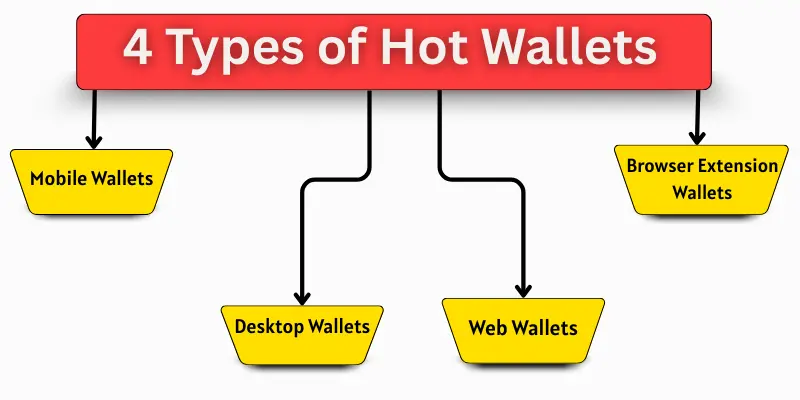
4 Types of Hot Wallets
They are online wallets connected to the internet. They allow you to send, receive, and manage your cryptocurrency quickly.
- Mobile Wallets
- Desktop Wallets
- Web Wallets
- Browser Extension Wallets
1. Mobile Wallets
Mobile wallets are cryptocurrency wallets that you can use on your smartphone. They let you store, send, and receive coins safely. You can check your balance and make transactions anytime. Mobile wallets are simple and easy to use. Beginners like them because they give fast and easy access to crypto.
Examples
Mobile wallets include:
- Trust Wallet: Easy app to store crypto safely.
- MetaMask Mobile: Popular for Ethereum and tokens.
- Coinomi: Supports many cryptocurrencies.
Advantages
Mobile wallets are useful for fast access. Some advantages are:
| Pros |
|---|
|
Disadvantages
Some disadvantages are:
| Cons |
|---|
|
Best Use Cases
Mobile wallets are best for:
- Daily crypto transactions
- Sending coins to friends
- Small investments
- Quick access to funds
2. Desktop Wallets
Desktop wallets are cryptocurrency wallets installed on your PC or laptop. They store coins safely on your computer. You can access your wallet only from that device. Desktop wallets are more secure than mobile wallets, but need your computer to use.
Examples
Desktop wallets include:
- Exodus: User-friendly wallet for many coins.
- Electrum: Fast and secure for Bitcoin.
- Armory: Advanced security features.
Advantages
Desktop wallets are good for home use.
| Benefits |
|---|
|
Cons
Some disadvantages are:
| Drawbacks |
|---|
|
Best Use Cases
Desktop wallets are best for:
- Storing crypto at home
- Medium-term investments
- Frequent trading from one device
3. Web Wallets
Web wallets are cryptocurrency wallets you access through a browser. They are online wallets. You can use them from any device with internet. Web wallets are convenient but need strong security habits.
Examples
Web wallets include:
- Blockchain.com: Easy online wallet for beginners.
- Coinbase Wallet: Access your crypto from a browser.
- BitGo: Provides multi-user security features.
Advantages
Web wallets are easy to reach. Advantages:
| Pros |
|---|
|
Cons
Some disadvantages are:
| Cons |
|---|
|
Best Use Cases
Web wallets are best for:
- Online trading
- Quick access from any device
- Beginners who want an easy setup
- Small transactions
4. Browser Extension Wallets
Browser extension wallets are added to your browser. They let you manage crypto while browsing. You can connect them to websites for trading or payments. They are easy for daily online use.
Examples
Browser extension wallets include:
- MetaMask: Popular for Ethereum and tokens.
- Binance Chain Wallet: Works with Binance Smart Chain.
- Brave Wallet: Built into Brave browser for crypto use.
Advantages
Browser extension wallets are convenient for online use. Advantages:
| Pros |
|---|
|
Cons
Some disadvantages are:
| Cons |
|---|
|
Best Use Cases
Browser extension wallets are best for:
- Trading online
Using decentralized apps (DApps) - Quick small transactions
- Beginners exploring crypto online
How to Choose the Right Hot Wallet
Choosing the right hot wallet is very important: the right wallet keeps your crypto safe and makes transactions easy. Beginners often get confused because there are many options.
Here are some tips to help you choose:
- Purpose: Decide why you need the wallet. Daily use or trading?
- Device: Mobile, desktop, or browser? Choose what suits you.
- Security: Look for wallets with strong security features.
- Backup Options: Ensure the wallet has easy backup and recovery.
Supported Coins: Check if your cryptocurrency is supported. - User-Friendly: Beginners should pick simple and easy-to-use wallets.
Always choose a wallet that fits your needs: start with small amounts to test it. This way, you stay safe and learn how to use it properly.
Conclusion
Alright, everyone, let’s bring this to a close! We have explored types of hot wallets in depth. I personally recommend starting with a mobile wallet if you are new to crypto: it is simple, fast, and beginner-friendly. Take your time to explore different wallets and find one that fits your needs. Stay safe and keep learning about your digital coins!
Faqs about types of hot wallets
The main types are mobile wallets, desktop wallets, web wallets, and browser extension wallets. Each type has different features and uses. Beginners can choose one based on convenience and security.
Hot wallets are safe if you follow security tips. Use strong passwords, enable 2FA, and back up your wallet. Avoid using public Wi-Fi to prevent hacking.
Mobile wallets are usually the easiest for beginners. They are simple, fast, and available on smartphones. Desktop or browser wallets are also good, but may need more setup.
You can store small amounts safely for daily use. For large amounts, it is better to use cold wallets. Hot wallets are convenient but less secure than offline wallets.
Yes, hot wallets always need an internet connection. You can send and receive coins instantly. Without the internet, a hot wallet cannot work.
Yes, hot wallets can be hacked if not secured properly. Always use strong passwords and two-factor authentication. Keep your recovery phrase safe and private.
Mobile wallets are on your smartphone and easy to use anywhere. Desktop wallets are installed on a computer and are slightly more secure. Both allow you to manage cryptocurrency online.
Browser extension wallets are convenient for online use. They are less secure than desktop wallets. Always double-check websites before connecting your wallet.

- Be Respectful
- Stay Relevant
- Stay Positive
- True Feedback
- Encourage Discussion
- Avoid Spamming
- No Fake News
- Don't Copy-Paste
- No Personal Attacks
- Be Respectful
- Stay Relevant
- Stay Positive
- True Feedback
- Encourage Discussion
- Avoid Spamming
- No Fake News
- Don't Copy-Paste
- No Personal Attacks
